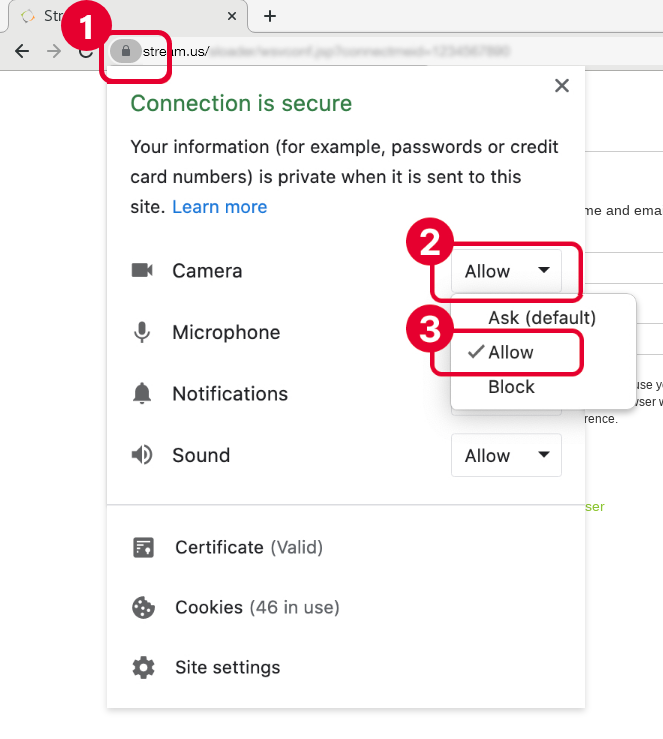

Allow Streams to access your camera and microphone
1. Click the lock icon to the left of your address bar. A pop-up will appear with a list of options.
2. Click the drop-down list to the right of the Camera and Microphone option.
3. Select the option Allow.